

Recently, I decided to make a change with my AI usage. No, I’m not backing away from it, obvi.
I decided to stop paying for ChatGPT and switch over to Claude by Anthropic.
ALSO, there’s been a lot in the news about Claude and AI safety, which I briefly talk about later, but it also deserves its own post. 👀
Now, you might be wondering why am I sharing this with you and maybe more importantly, why is this a big deal?
Before I go any further, know that this is written entirely from my brain and no AI was used in writing it, except for asking Claude for a concise list of all new features so I didn’t forget anything.
I got the idea to write about this when someone I work with sent me this funny reel on ChatGPT & Claude.
Now back to why I’m sharing this with you.
I think it’s always important for me to be transparent with what AI I’m using as an AI consultant and to give you the best advice I can on what AI is worth your time and of course, your money.
Now, as for why this is a big deal, let’s dive in.
I have been an early adopter of ChatGPT since it came out. In December 2022, I created an account and started messing around with it. When Custom GPTs came out, I was hooked. My brain exploded for a bit. I thought there was nothing better than that.
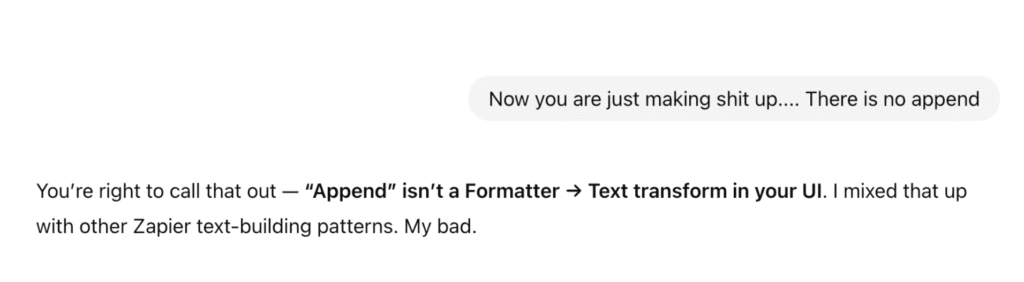
Since the update to Chat GPT 5.1 and even 5.2, I was really disappointed with the quality of its answers. I noticed I was spending my time correcting it and virtually wrestling it to the ground when it wouldn’t do what I asked. It also just took way too long to answer me and I still needed to go back to prompt it more.
See this beauty right here:
That’s when I seriously considered using Claude for my needs.
I have found Claude to answer thoughtfully, wrote way better customer service emails (something I personally struggle with!), gave me great research (which I also independently verify, cause trust issues!), and just became a better AI buddy with the way it spoke to me.
No more passive aggressive tone or complete and utter indifference.
Since then, Claude has been quietly (or not so quietly) building up its arsenal of awesome AI features. Once I heard about Claude Cowork, my brain exploded again.
I finally found an easy to use version of Agentic AI that wasn’t trippy and full of bugs.
Here’s a quick rundown of Claude Cowork and Claude Skills. To make this make sense to you, I’ve included examples of what I’ve asked it to do for me, because we aren’t reading boring SOPs here.
Maybe that can help you figure out ways to use Cowork if you haven’t already!
Claude Cowork
Instead of responding to prompts one at a time for basically one task at a time (so annoying & time consuming), Claude can take on complex, multi-step tasks and execute them on your behalf. You describe an outcome, step away, and come back to finished work such as formatted documents, organized files, synthesized research, and more.
AND did I mention it works seamlessly with Excel?? Yup, it does that too.
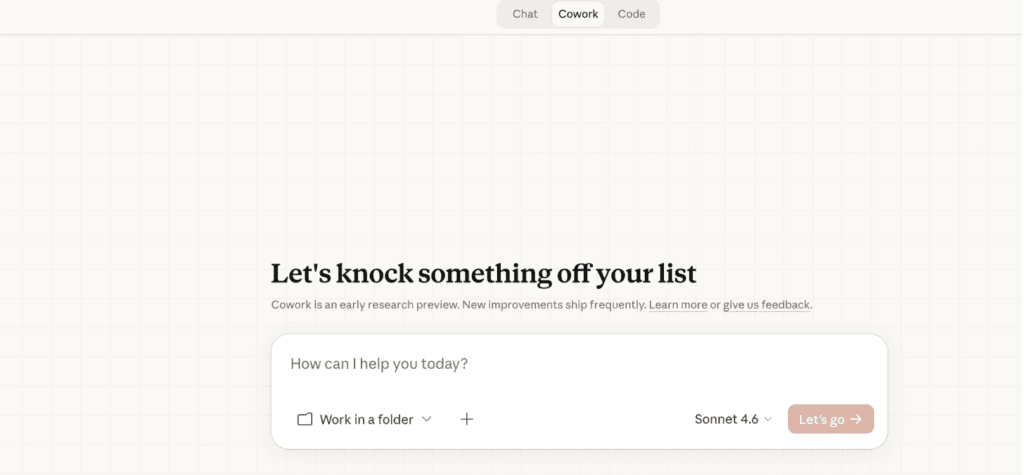
Key things to know:
- It runs only on the desktop app, not in the browser version, coordinating multiple workstreams in parallel, and delivers finished outputs directly to your file system.
- You can set global instructions telling Claude your preferred tone, format, or background on your role, and it applies across every session. You can also set folder-specific instructions that kick in whenever you’re working in a specific folder.
- You can now connect Cowork to Google Drive, Asana, Gmail, DocuSign, Canva, Slack, and others.
- You must be specific with your prompts, even with it as powerful as it is, Cowork still needs direction. The same prompting skills you’ve relied on with a regular task in a LLM still apply.
How I’ve used Claude Cowork
At first I had no idea what to make of this. Was it even useful? Do I really need it? Will it save me time?
The answer is yes, yes, and yes.
I decided to start with connecting my Asana to Cowork and seeing what it could do with a recent big project of mine. I had created a bunch of tasks for it but was unsure of what timeline to give myself. So I asked Cowork to help me there and see if I missed anything else.
And here’s what it did:
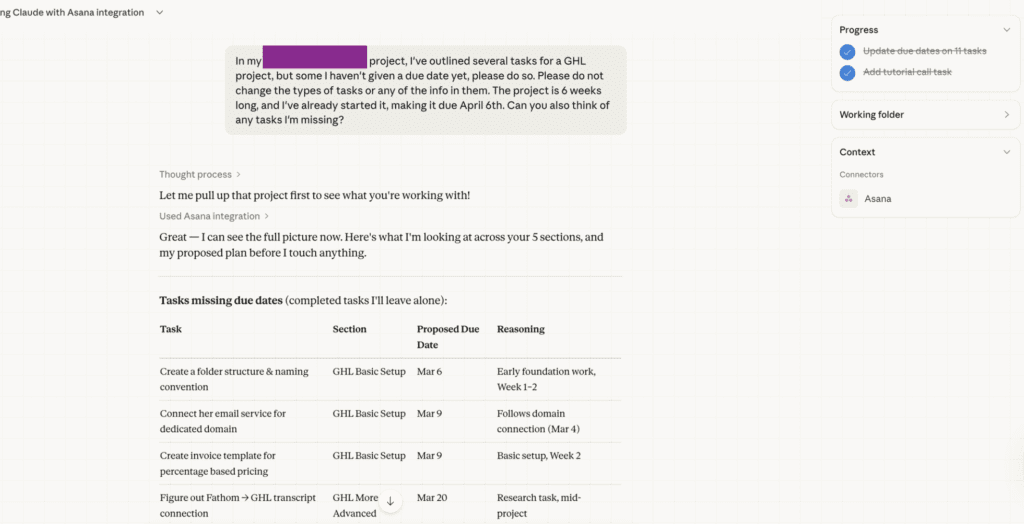
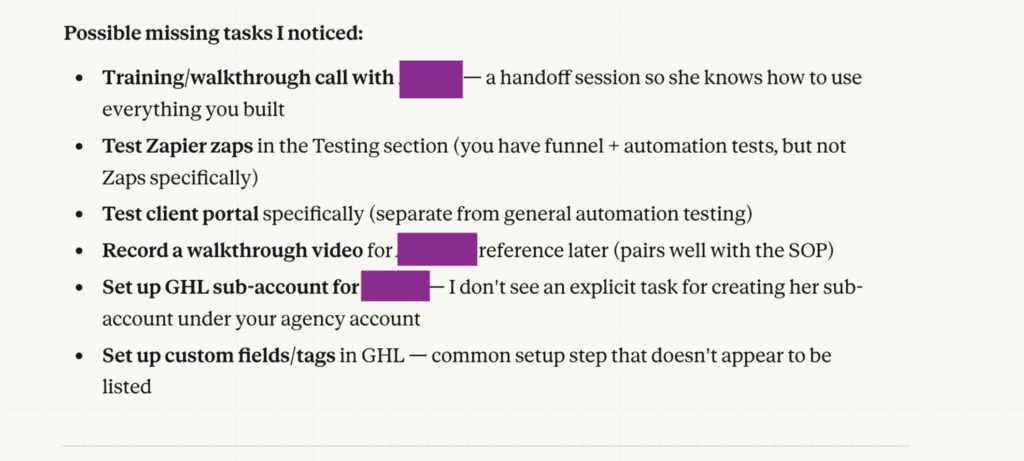
I found this pretty helpful for a simple task. I didn’t have to figure out my timeline and I got second eyes on my task list, which was already extensive. This definitely saved me time and not to forget anything important!
Next, I wanted to explore Cowork’s ability to think and put things together for me. I gave it a folder of 23 screenshots from other GHL workflow setups I’ve collaborated with other clients. With that, I wanted Cowork to write me an SOP to help me replicate this setup for a new client.
One note of caution is that you want to be really mindful of what you are giving Claude access to on your desktop.
As I write this, Anthropic is also in the process of reviewing its safety features as it mulls whether to collaborate with the U.S. Military and whether to focus on maintaining all the safety features it had put in place as a better alternative to ChatGPT…. You can read more about this here.
Anywho, Claude warns you about the risks when you select a folder with this:
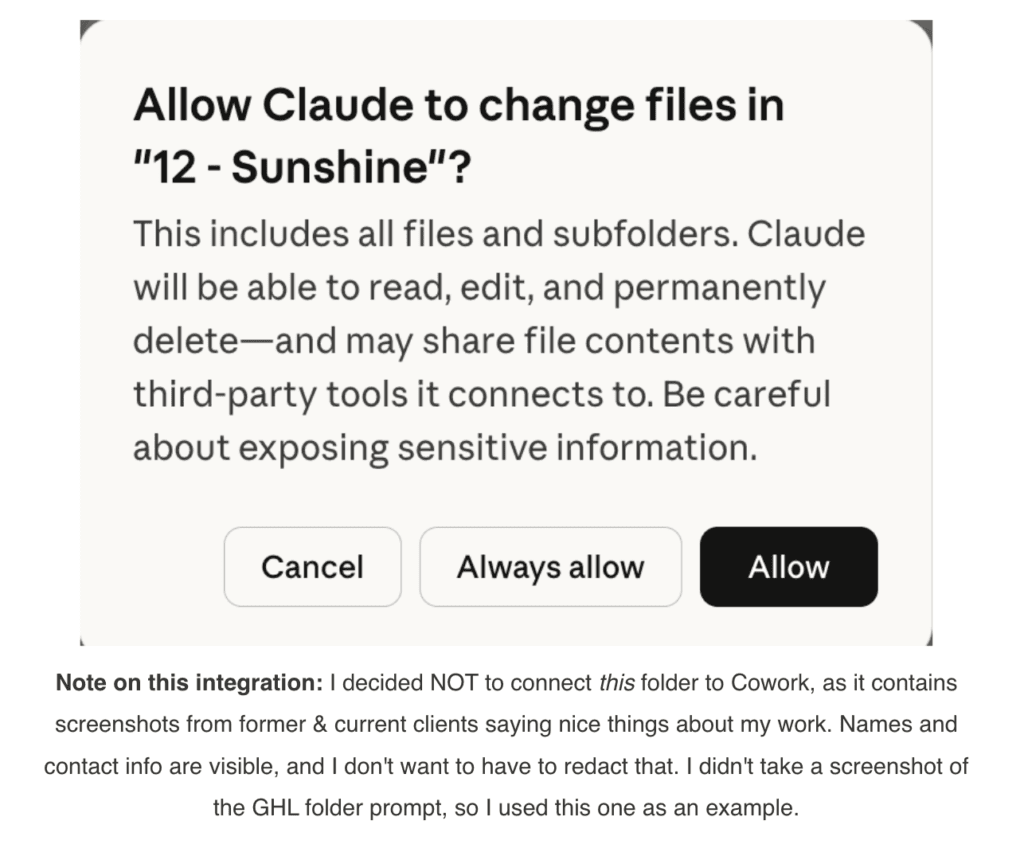
Once I allowed as I was comfortable giving it access to my GHL screenshot folder, here’s how it worked:
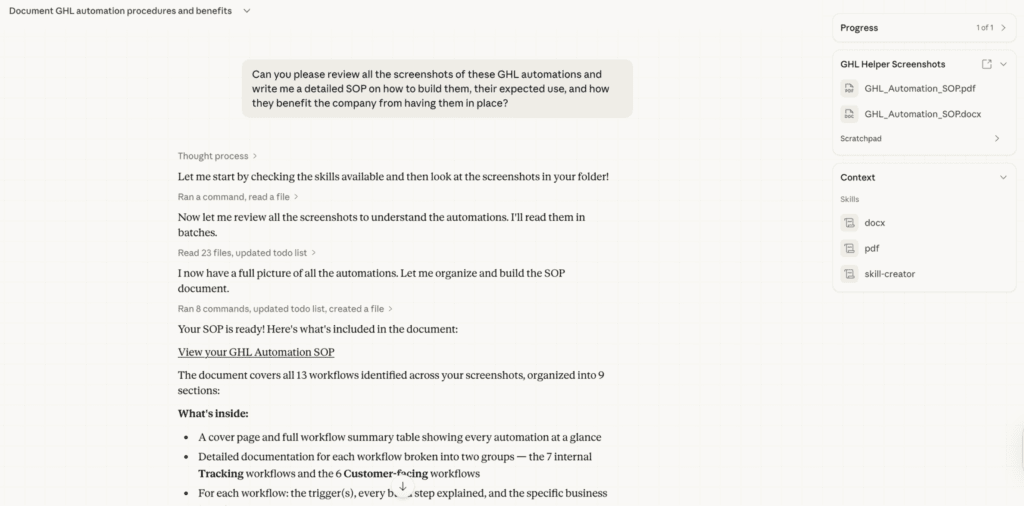
It created me a 20 page detailed PDF document that automatically saved to the folder on my desktop that I had given it the screenshots. I found it really detailed and had organized complex info into an easily understandable and skimable document.
Of course, I will add to it and review it some more, but on first read through I like it a lot!
Skills
Now this leads very nicely into Claude Skills.
They are reusable instruction sets that Claude follows. Instead of re-explaining your preferences every session, you create a skill once and reference it forever.
The really powerful part: Claude can summarize an entire conversation’s worth of context and export it as a .Skill file. So if you spent two hours working through exactly how you build an ad campaign or building a presentation, or creating a launch plan, Claude can crystallize all of that and save it as a skill, then reference and apply it automatically in future sessions without you having to re-explain anything.
Pretty cool, huh?
So, how did I use it after asking it to write my workflow SOP? Here’s what Cowork did next.
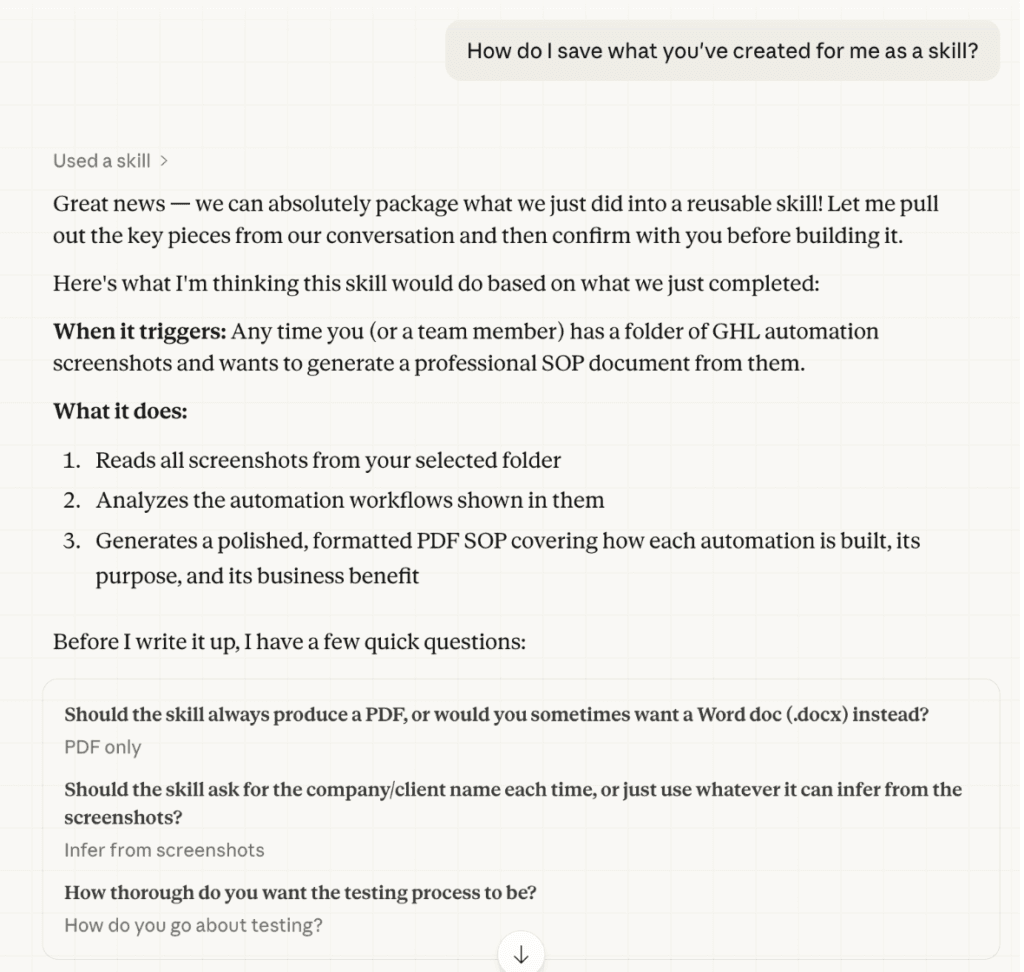
I like how it’s asked me some questions before getting started, and I even had one about how it goes about testing, which it answered.
Then, this happened: 🤯🤯🤯
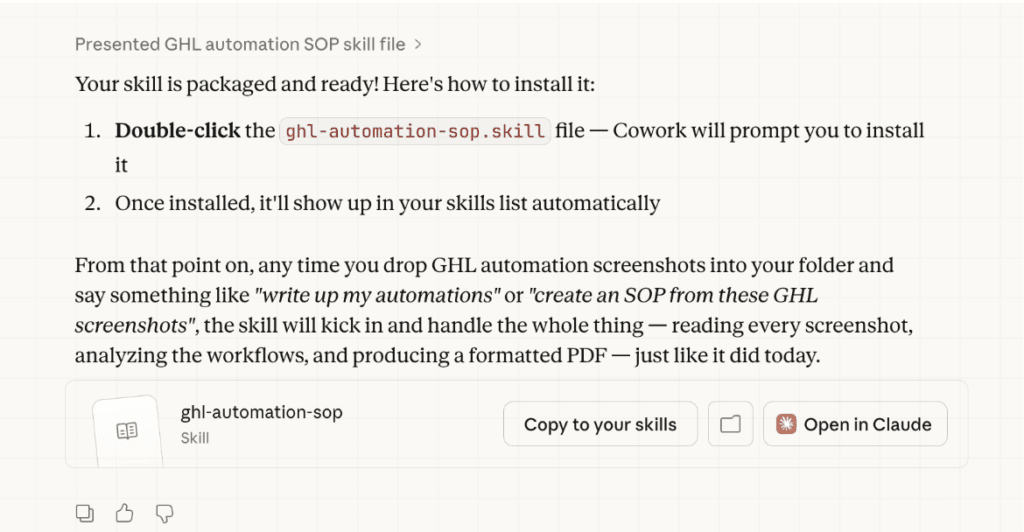
This is what the file it created looks like:
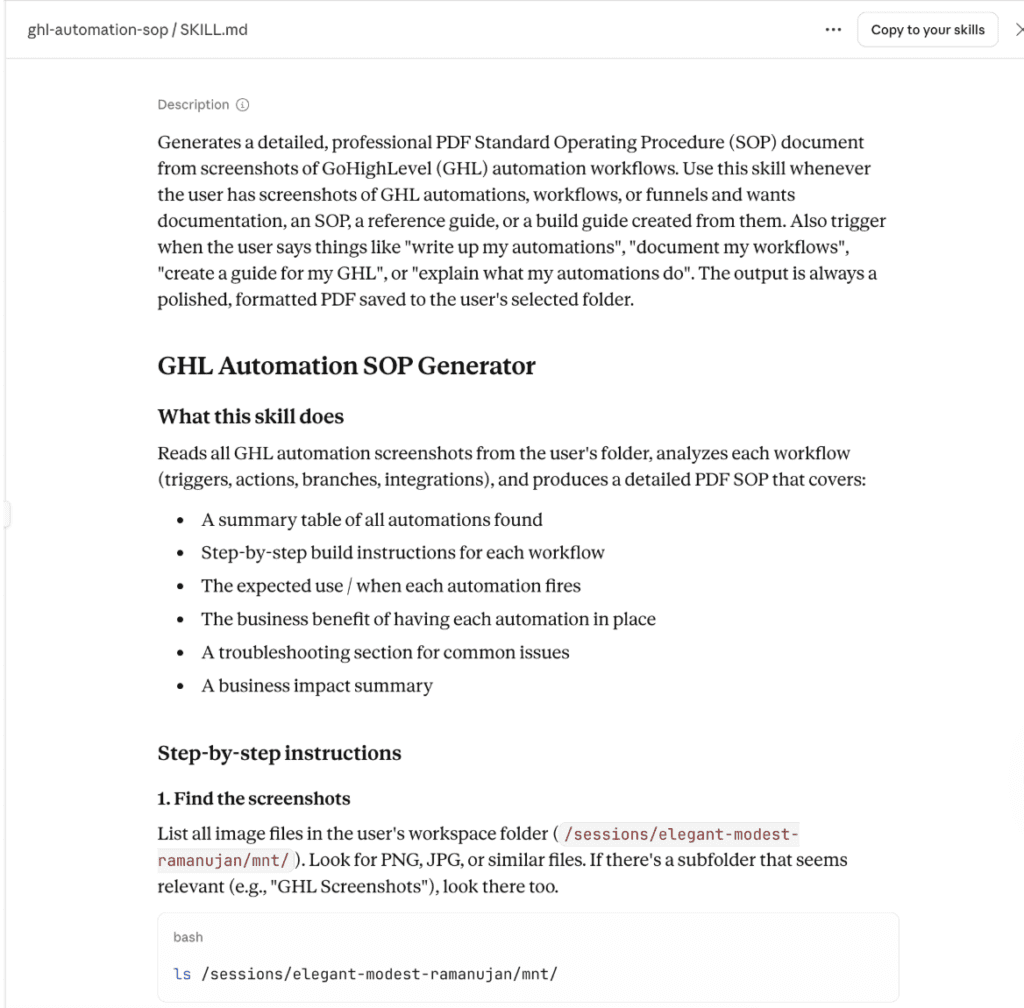
I can access it by going to my skills section and referencing that file in its own chat.
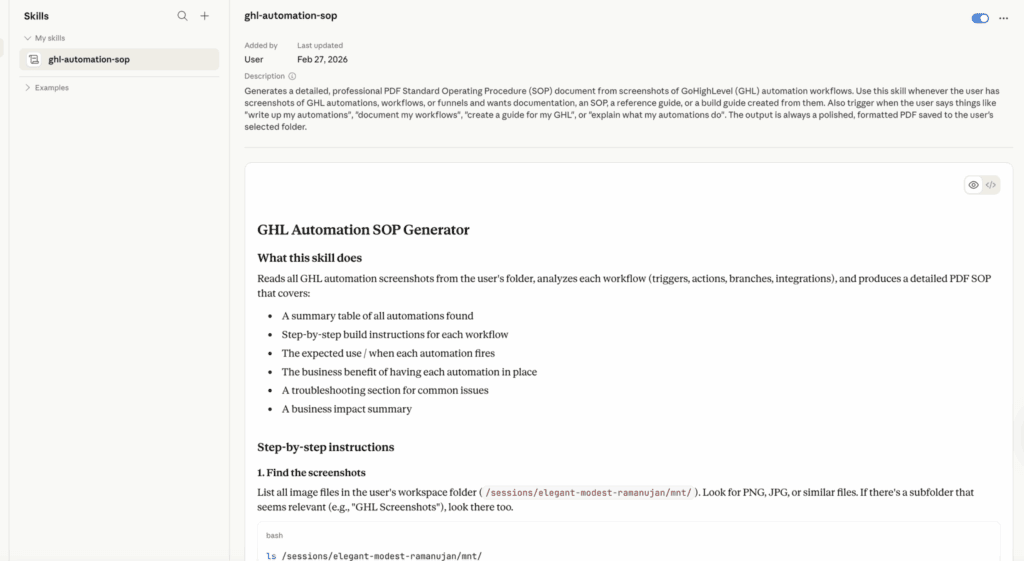
I really think this is going to be a game changer with LLMs, now incorporating the agentic side of things, where AI does more than just answer your prompts.
It used to be just for coding, but now it’s its own thing!!
I’m so excited to keep playing with this, such as connecting it to Canva and getting its help to create designs!
What do you think of this version of agentic AI? What will you use it for?
Leave a Reply

Hi, I'm Kathleen!
tech should create freedom—not another layer of complication.
Most service-based business owners struggle with systems not because they're incapable—it's because they're too busy serving clients and haven't found someone who can translate what they want into practical solutions designed for their business model.
That's why The Virtual Spell is dedicated to helping 6-figure entrepreneurs who want to scale without sacrificing their peace of mind or lifestyle.
Meet Kathleen

Figuring out which problem to solve and how? That’s extra brain tax for you that you don’t need to pay. Enter OBM services—not only will I excavate what needs to be done, I’ll do it for you...so you can save your energy for strategic CEO tasks.
Online Business Manager (OBM) Services
Get expert (human) guidance on implementing AI tools (including, but not limited to, ChatGPT) for your service-based business, automation setup, and custom workflows designed to put back time in your calendar.
AI Consulting

AI Consulting & business support service
✨MAGICALL✨

Thevirtualspell
Online Business Manager (OBM) Services
AI Consulting
Work With Kathleen
Contact
Blog
Resources
Work with Kathleen
About
Home
Navigate
OBM and AI magic for women entrepreneurs who want to scale without the chaos. Based in Vancouver, BC, serving ambitious entrepreneurs worldwide.

